Project Reporting
Reports & Analytics at a Click

 Create Project Reports at a Click
Actual vs. Planned Comparison for Every Project
Export as PDF or Excel
Employee and Customer Analytics
Flexible Filters & Full-Text Search


Create Project Reports at a Click
Actual vs. Planned Comparison for Every Project
Export as PDF or Excel
Employee and Customer Analytics
Flexible Filters & Full-Text Search






With TimeTrack’s project reporting, you can create meaningful project reports in just a few clicks. Filter by customers, activities, employees, or expenses, compare planned vs. actual values, and export your reports as PDF or Excel files. Ideal for project managers and operations teams that want to analyze project time without manually compiling data.
Benefits
Project Reports at a Click
Select a time period, apply filters, and your report is ready instantly. No manual data compilation.
Planned vs. Actual Comparison
Budgets and time are automatically compared against the plan, making deviations immediately visible.
Flexible Filters & Search
Filter by project, customer, activity, employee, or expense, plus full-text search.
Export as PDF or Excel
Export finished reports directly for customers, internal reviews, or funding organizations.
Employee & Customer Analytics
Individual reports by employee or customer, with performance and effort visible at a glance.
Funding Documentation & Reporting
Detailed reports by activity and project phase, with audit-ready export options.
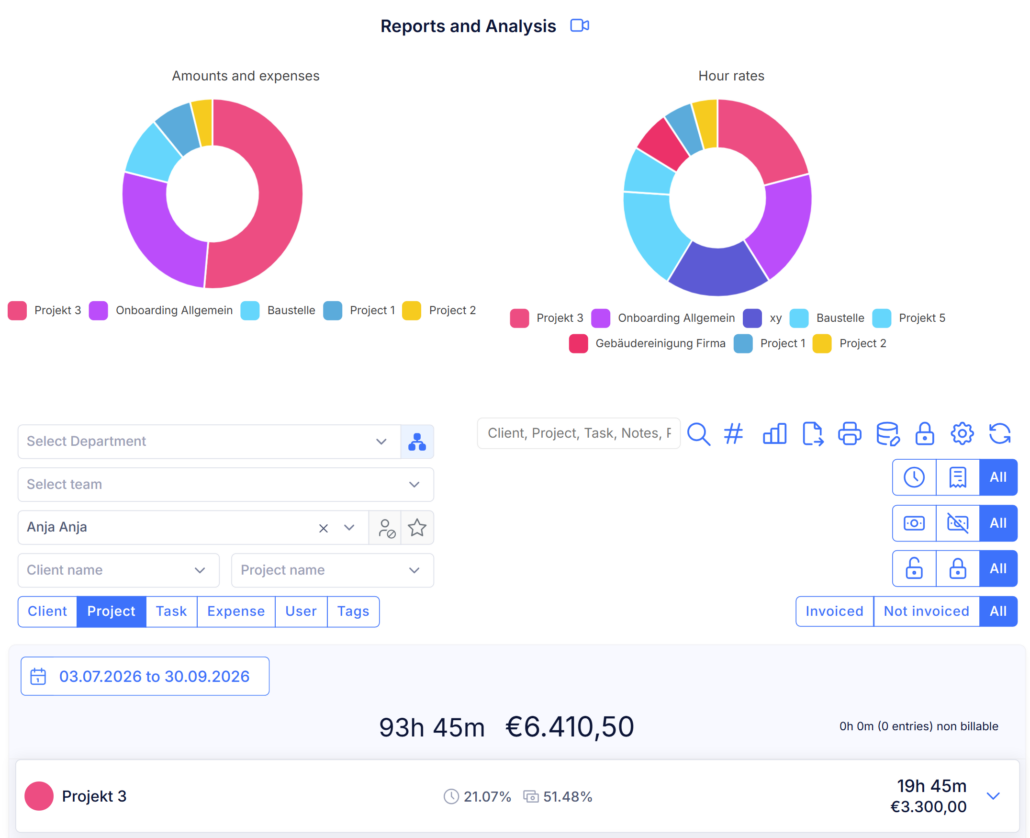
Define the reporting period, filter by project, and your project report is ready. TimeTrack automatically turns recorded project hours into structured reports by project, customer, activity, or expense. This gives you a clear view of the current project status and helps you identify budget variances before they become a problem.
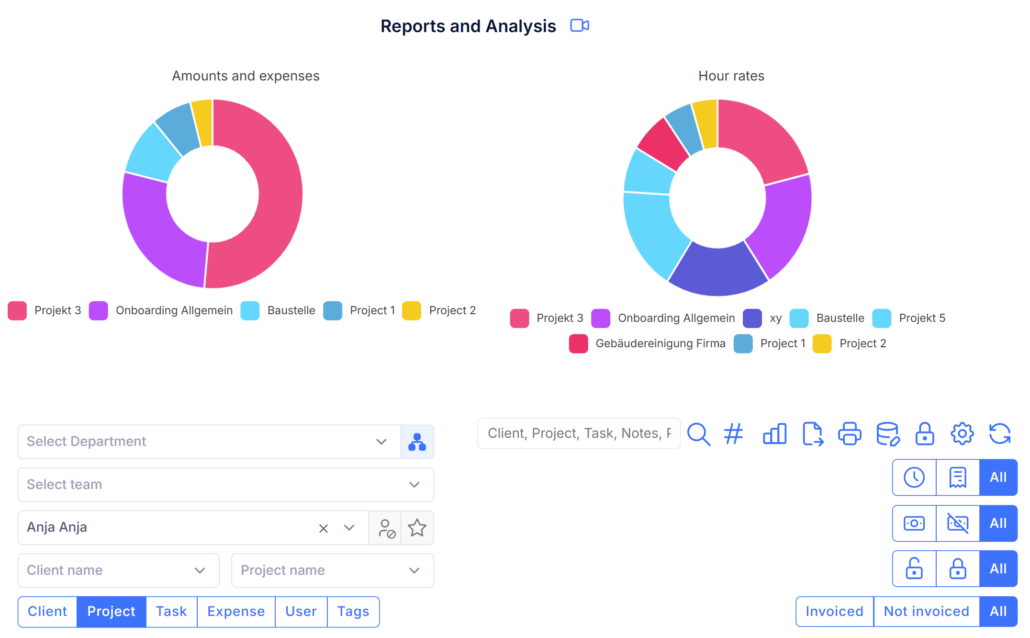
Just like project reporting, employee analytics can be generated in just a few clicks. Select a predefined reporting period or define a custom date range, then filter by employee to create the report.
Employee reports provide a clear overview of recorded working hours, completed tasks, and individual performance. They help employees understand how their time is spent, evaluate their productivity, and identify opportunities for improvement based on lessons learned and past project data.
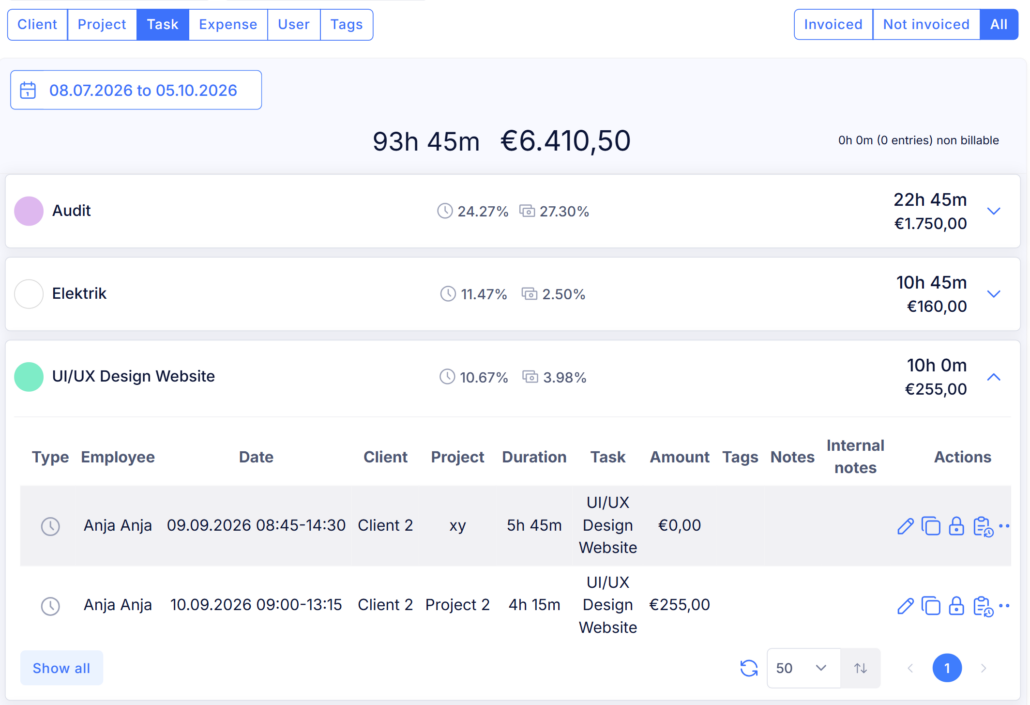
As a project approaches completion, you may want to see how many hours have been tracked for a specific customer. Simply filter by customer. Want to analyze the time spent on individual activities? Filter by activity. Need to understand where most of your project budget is going? Filter by expenses.
TimeTrack lets you customize project reports and analytics with a wide range of filters, so you can quickly access the data that matters most.
_*]:min-w-0 gap-3 standard-markdown”>
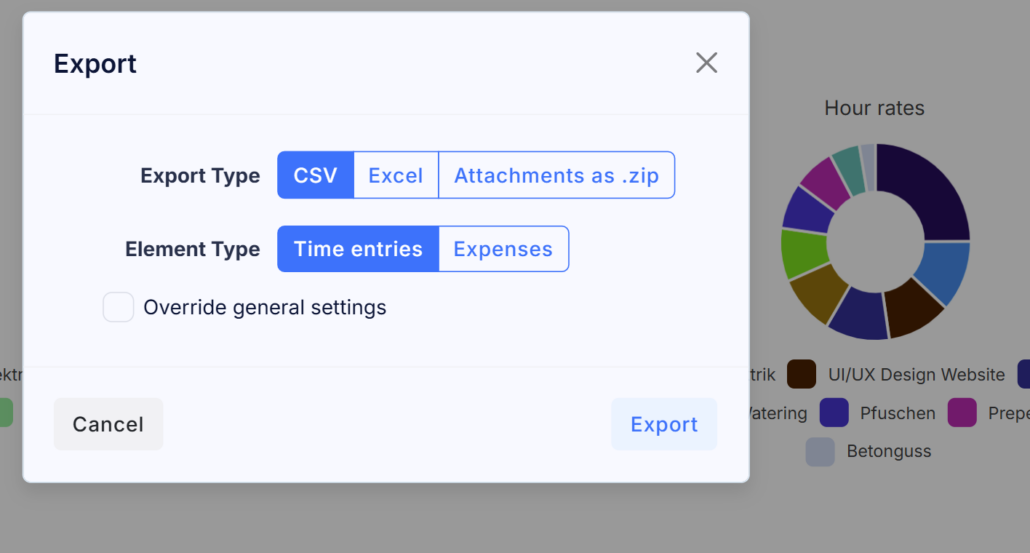
Need to use your tracked data in another application? Export your entries at any time and continue working with them in external systems. Simply create the report you need, then export it as a PDF or save it as an Excel file.
All export options can be customized to fit your workflow.
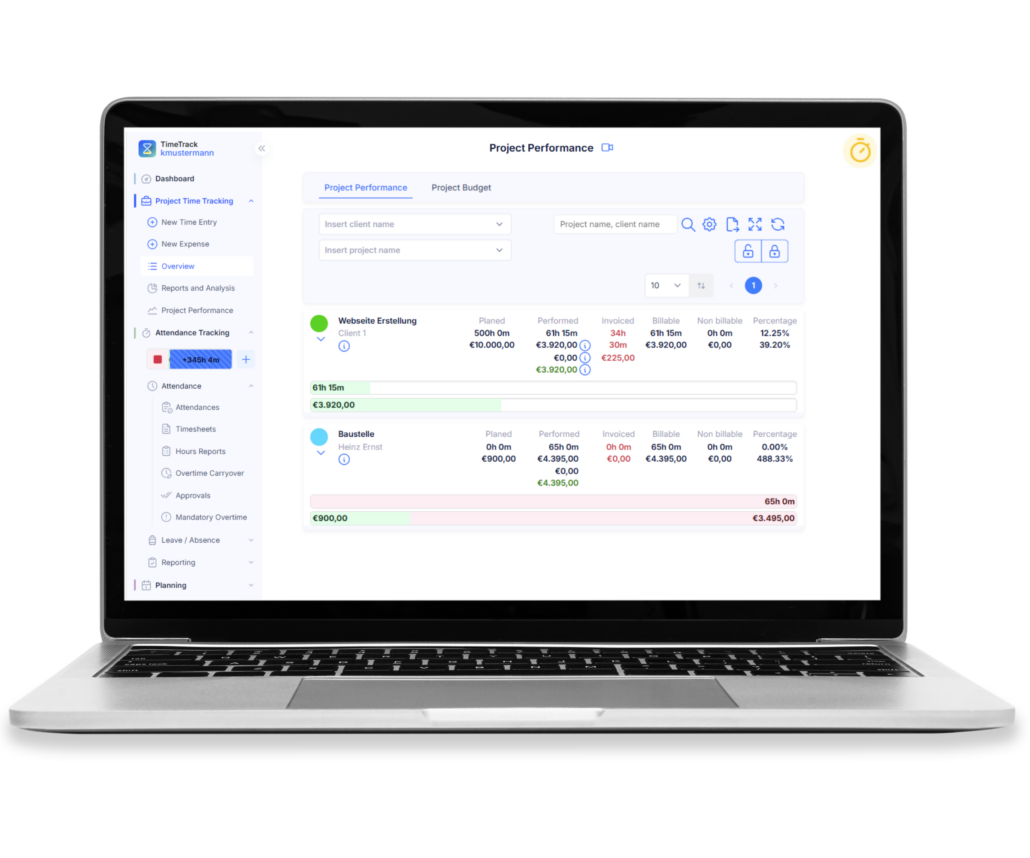
Create comprehensive reports and analyses for funding organizations, including detailed information on project activities and budgets. Customize your reports using flexible filtering options and export them as Excel or PDF files when needed. With TimeTrack, you can manage funded projects efficiently from planning through to final reporting.


What Is a Project Evaluation?
Project evaluation is the final phase of a project, in which results, experiences, and lessons learned are reviewed and documented. By analyzing the project retrospectively, teams can gain valuable insights and apply them to future projects.
What Is Project Reporting Software?
Project reporting software automatically tracks and analyzes the project time of everyone involved. It enables you to create reports by customer, activity, or employee, identify budget variances, and document project results—without manually compiling data.
How Do You Evaluate a Project?
A project is evaluated by analyzing its results, processes, and performance. This includes reviewing experiences, identifying successes and challenges, and deriving recommendations and lessons learned for future projects.
What Is Project Evaluation?
Project evaluation assesses how effective a project and its implementation were and whether the defined objectives were achieved. It involves a systematic analysis of project success, outcomes, impact, and overall effectiveness.
What Is the Difference Between Project Reporting and Project Controlling?
Project controlling supports a project throughout its lifecycle through budget planning, planned vs. actual comparisons, and progress tracking. Project reporting analyzes the recorded data and provides reports for reporting, billing, and documentation. In TimeTrack, both functions work seamlessly together.