How do I use the Excel template?
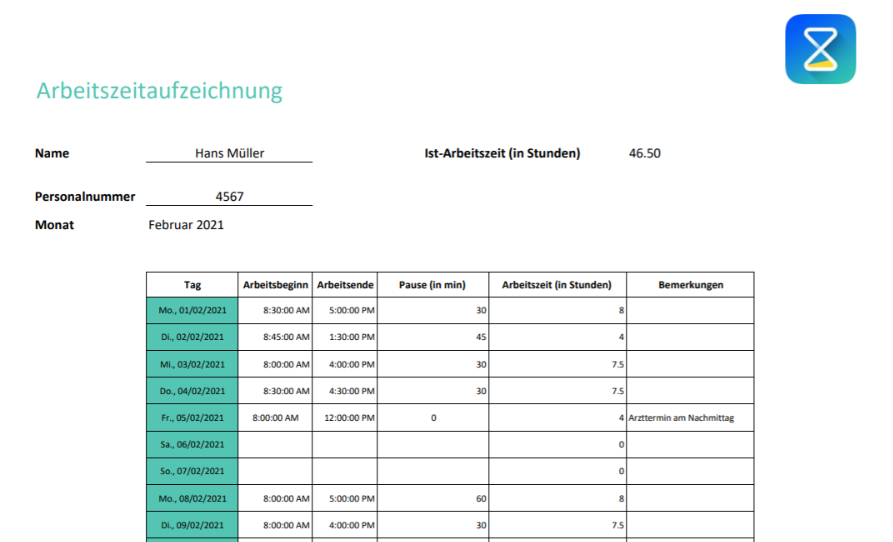
With the free TimeTrack timesheet template, employees can easily record their daily working hours in Excel. At the start of work, simply enter the current time in the following format: XX:XX. Do the same at the end of the working day. Based on the data entered, the Excel sheet automatically calculates the user’s working time. Don’t forget to enter your breaks so that they are included in the calculation. All working hours are added up automatically over the course of the month, so at the end of the month you can see at a glance how many hours were spent at work. Once the timesheet is complete, it can be printed and signed: time tracking can be that simple!