Project Control
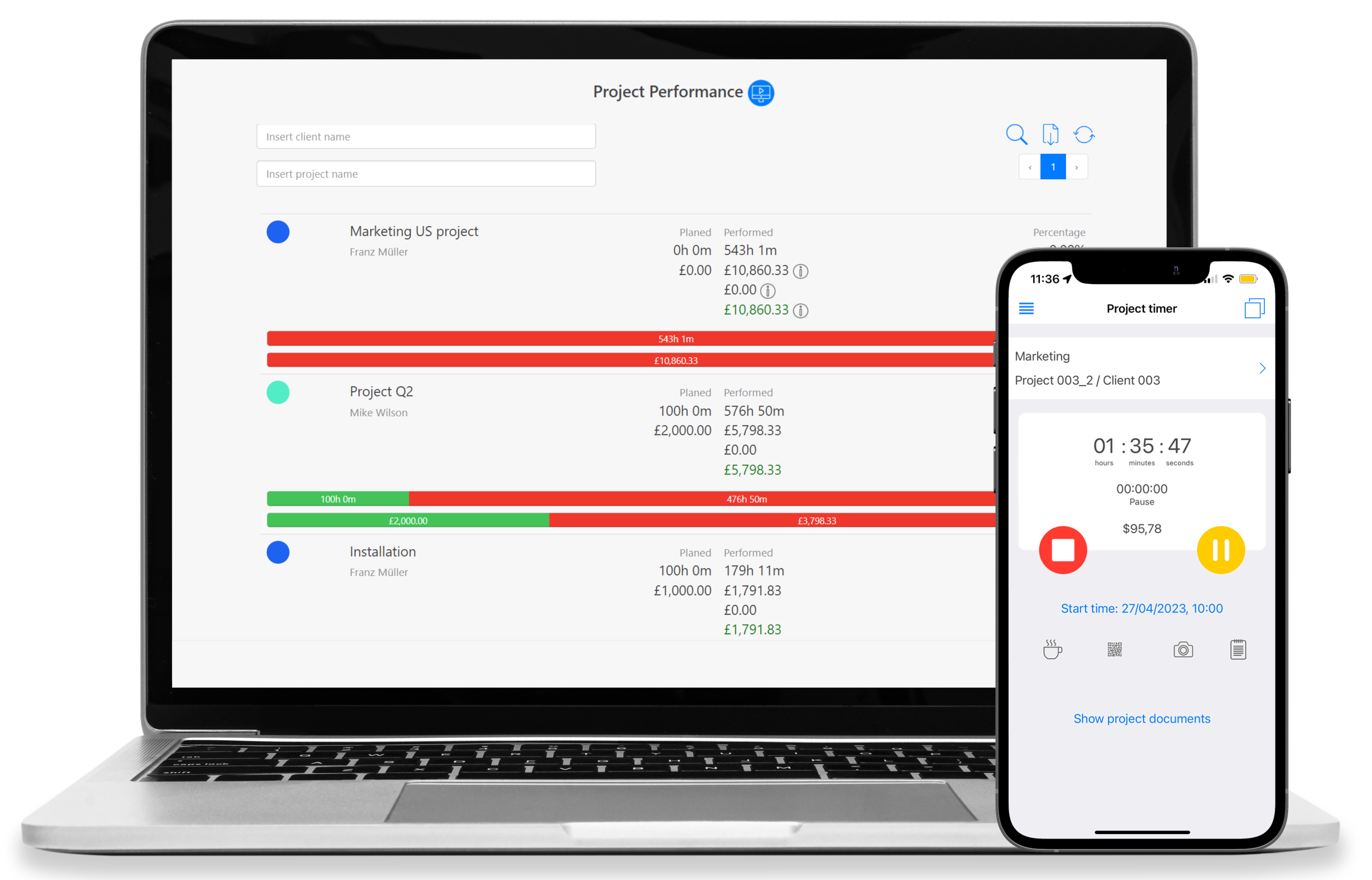
 Automatic real-time target/actual comparison
Continuous budget & quota monitoring
Full overview of services delivered per project
Project reports – export as PDF & Excel
Early warning system for budget overruns


Automatic real-time target/actual comparison
Continuous budget & quota monitoring
Full overview of services delivered per project
Project reports – export as PDF & Excel
Early warning system for budget overruns






_*]:min-w-0 gap-3 standard-markdown”>
TimeTrack project controlling is the right solution for project managers, agencies, and service providers who manage multiple projects simultaneously – and need to keep budgets, timelines, and resources fully under control. The software replaces manual Excel spreadsheets with automatic real-time reports and makes budget overruns visible before they happen.
To start tracking projects, you must first book your time entries for customers, projects or tasks. For this, you can easily use the project timer. Start it with one click in the Web App or directly on your smartphone. This way you can easily track your project hours even when you are on the go.
Several project team members can be assigned to one project. The whole project team is aware of each other’s timely decisions. This helps project managers follow the project development and help if needed.
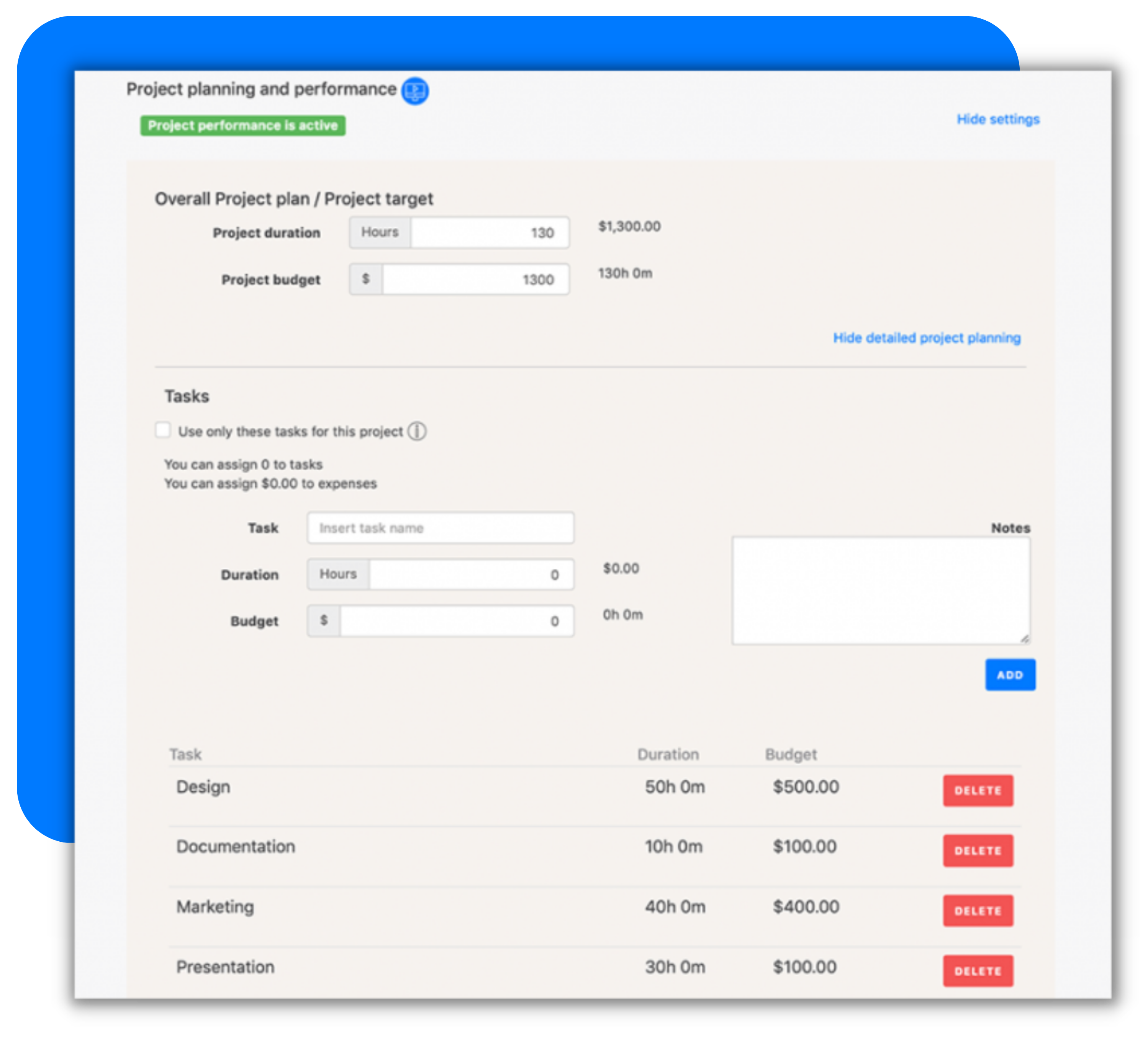
Every successful project needs a project plan. This is the basis for project planning and the subsequent project scope. Depending on the project scope, you can create a general or detailed project plan. For a general project plan, you specify the duration and project budget. The situation is different with a detailed project plan: here, in addition to the budget and duration, you also plan tasks and project expenditures or costs.

For service providers, precise monitoring of time quotas is the key to profitable project controlling. With the integrated quota management, you can control budgets not only at project level, but also for individual tasks or team members if needed.
An intelligent early warning system prevents budget overruns: as soon as defined thresholds are reached – for example 80% of the monthly volume – the system automatically triggers workflows or booking blocks.
Additionally, projects can be marked as non-billable from the start. This prevents internal efforts from accidentally ending up in client invoices – keeping the separation between internal and external projects clean from day one.
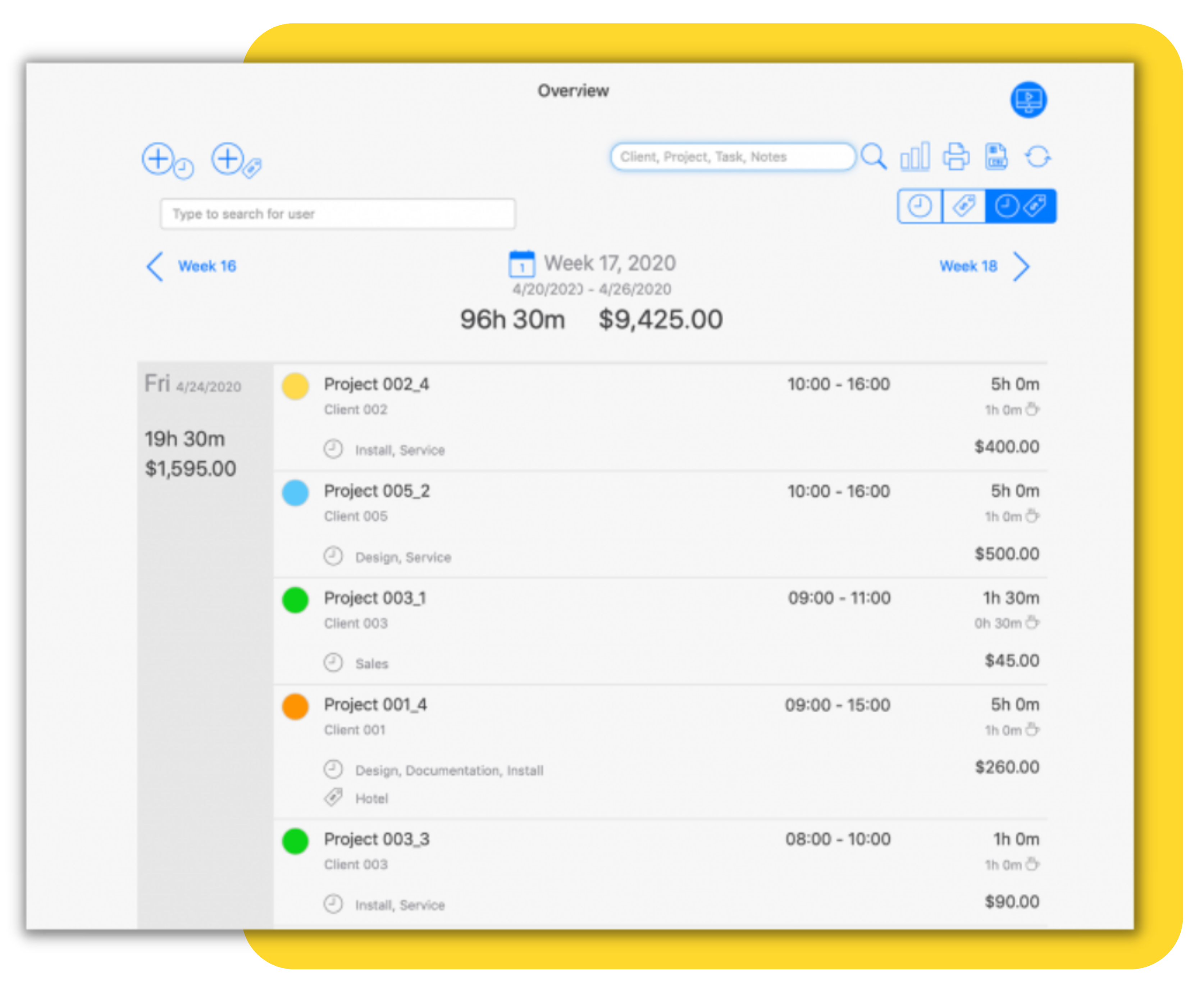
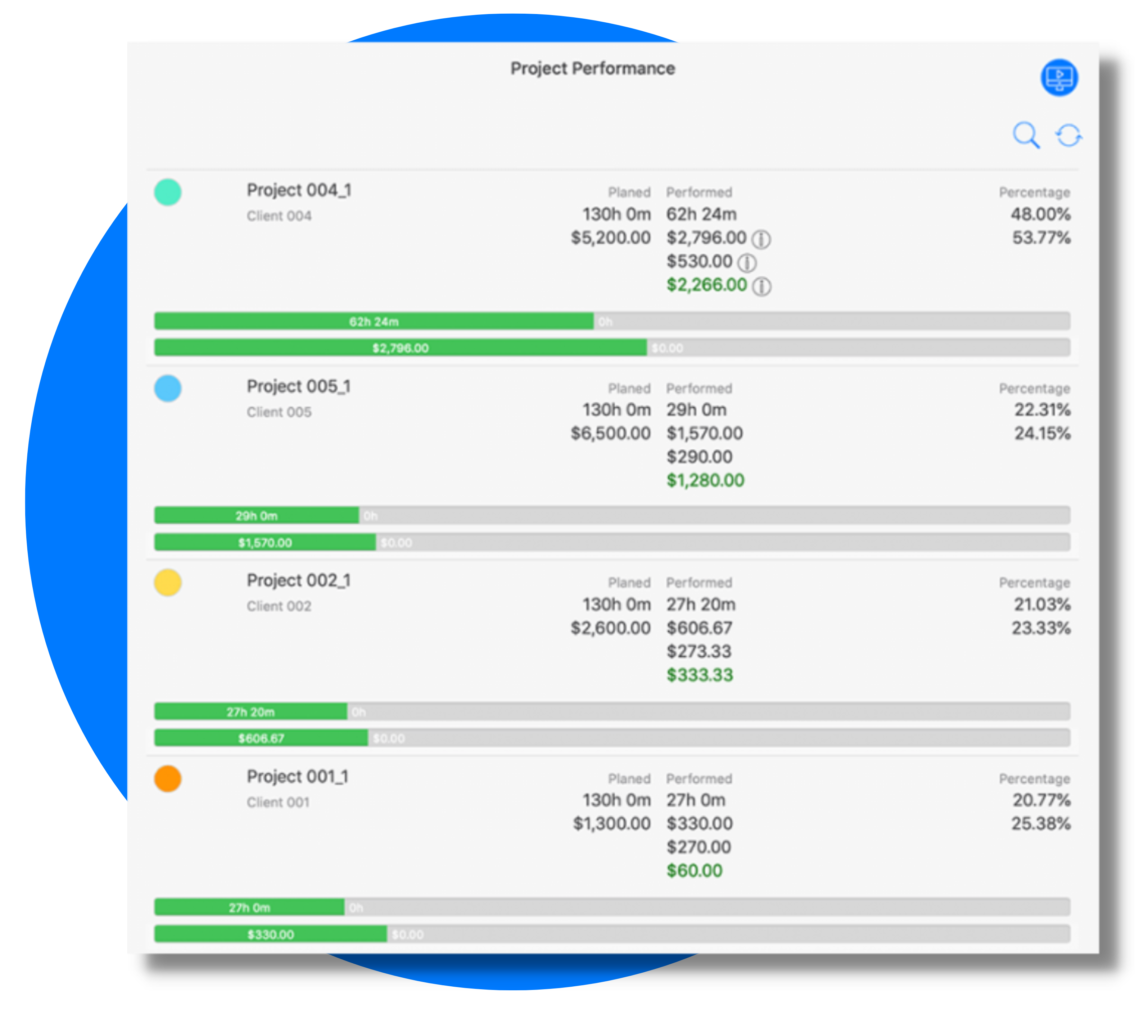
To see the progress of individual activities or tasks, simply click on the project. Do the same to see single time entries. TimeTrack uses the so-called top-down method to guarantee a maximum overview. This way you can view the project timeline.
Thanks to the target/actual comparisons, you can discover which projects are efficient and which are inefficient. In addition, you continuously track the project profit so that you can keep an eye on whether the project is working efficiently and whether the project budget is being exceeded. This way, the project manager has a perfect overview of the project reporting.
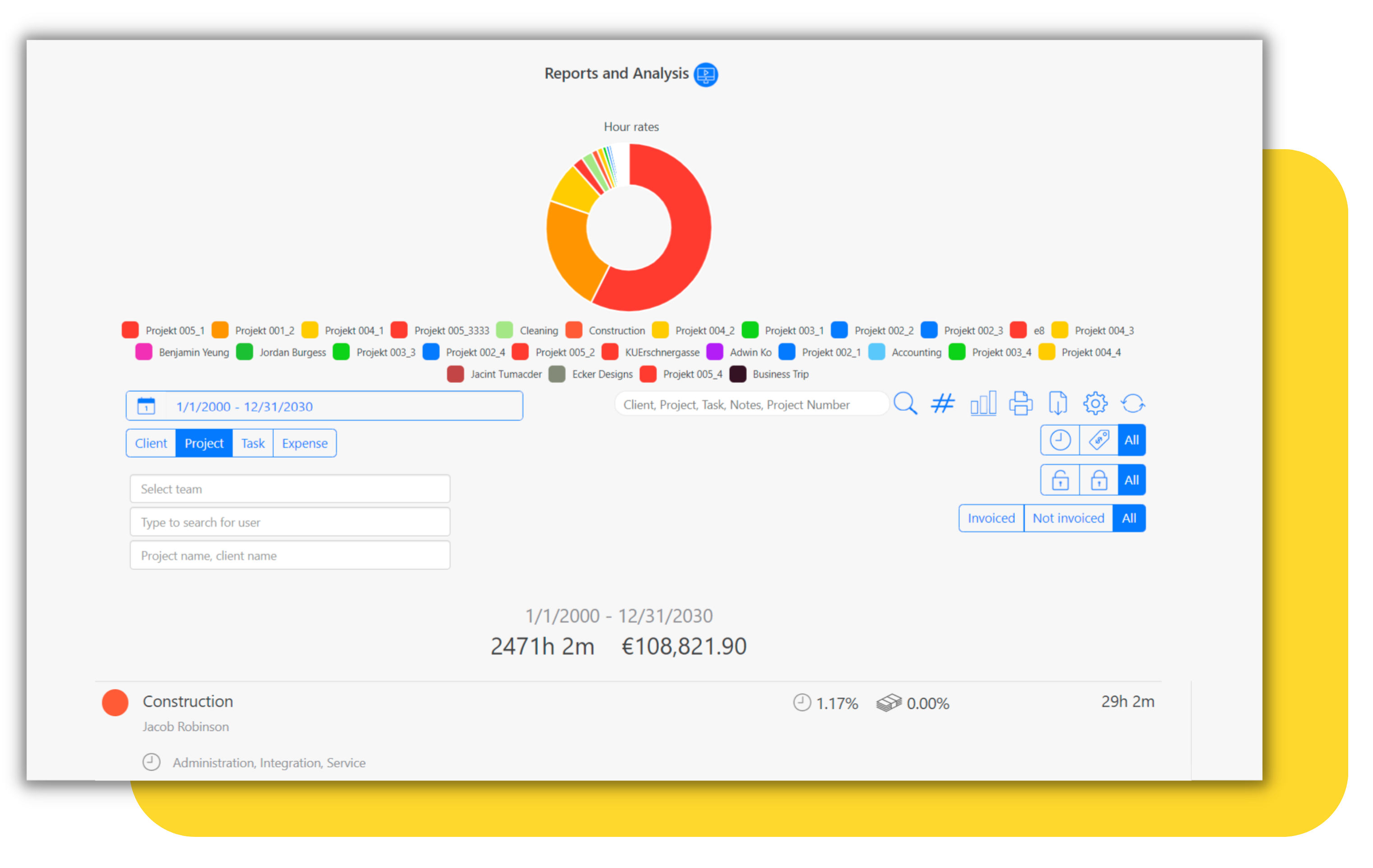
To make sure that the project implementation is successful, you should regularly evaluate the project. Successful risk management starts with regular project control and reporting. Thus, you should present your project data in reports in a clear and concise manner. To make the reporting system as flexible as possible, there are many different filter and search options. You can create reports for customers, activities, project expenditures, and employees. Simply select a filter and a time interval, and voilà! The report is ready. To fine-tune your reports, there is also a full-text search.
You can also easily export reports as PDF or save them in Excel.

Not every project time entry should flow directly into controlling without review. With multi-level approval, project times can be approved across several responsible parties, for example first by the team leader, then by the project manager.
This is particularly relevant for companies with complex approval structures, external team members, or projects with strict budget requirements. Only approved time entries are included in the target/actual comparison – keeping your project controlling clean and fully traceable.
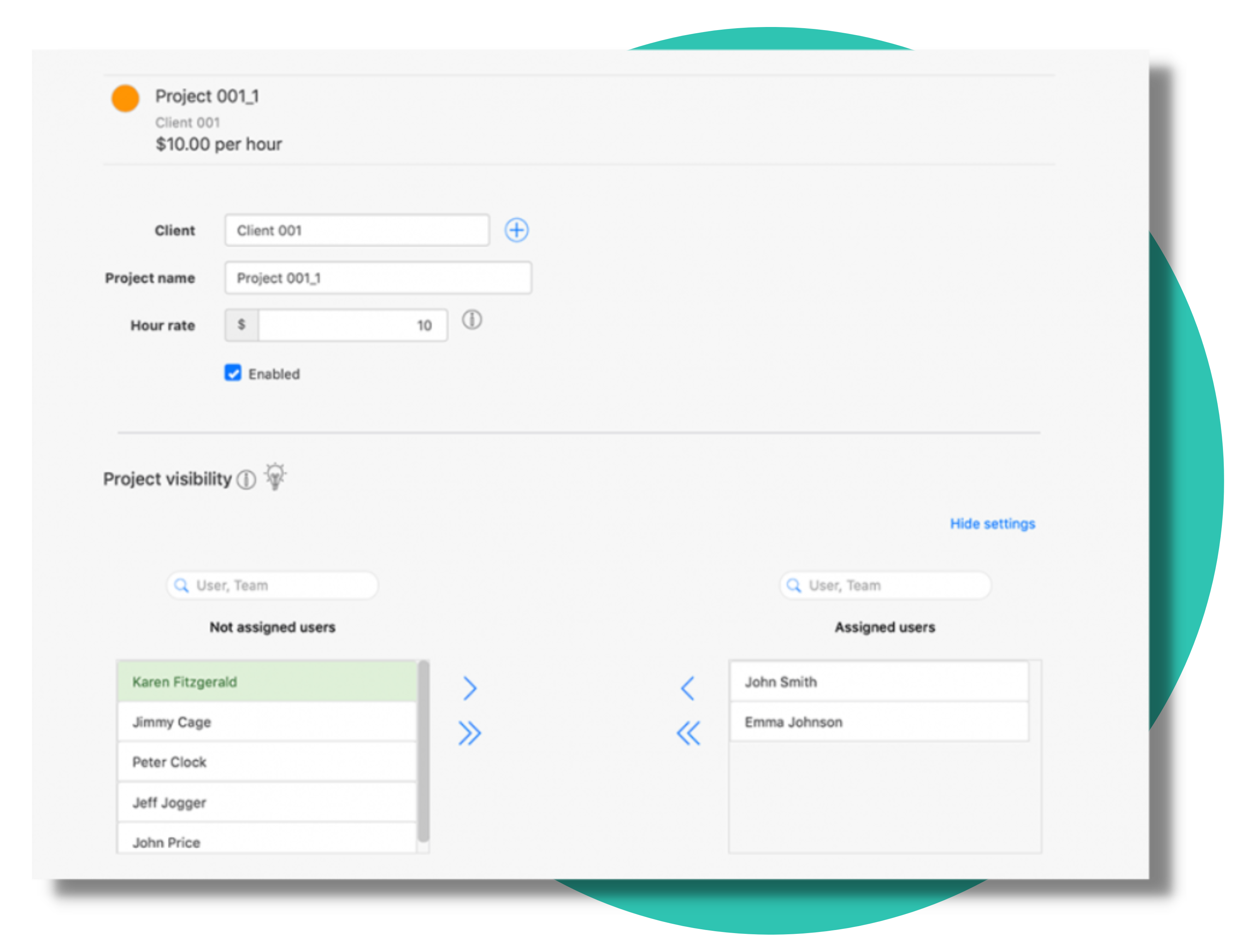
To ensure that the overview is not lost, you can assign several team members to each project. This makes sure that only those colleagues who are actively involved in the project get access to project and customer data. On the one hand, you protect sensitive customer data, and on the other hand, you can use project visibility to adjust the user profile of all employees so that users only see the information they need, thus making everything clearer in their daily work. Project allocations are the key to better project management.
What is project controlling and why is it important?
Project controlling is the continuous monitoring of a project’s budget, timeline, and progress against the original plan. It helps project managers identify problems early, take corrective action before budgets are exceeded, and ensure the project is completed successfully and on time.
How does TimeTrack prevent budget overruns?
TimeTrack includes an automated early warning system that monitors your project budgets in real time. Once a defined threshold is reached – for example 80% of the monthly budget – the system automatically triggers workflows or booking blocks. This way, you stay in control before overruns happen, not after.
Can I combine project controlling with time tracking in TimeTrack?
Yes. In TimeTrack, time tracking and project controlling are directly linked. Every tracked project hour automatically flows into the target/actual comparison – no manual data transfer needed. Controlling and time tracking run in parallel in real time.
Who is TimeTrack project controlling designed for?
TimeTrack is ideal for agencies, IT service providers, consulting firms, and any business managing multiple projects simultaneously. The software scales from small teams of 5 to companies with several hundred employees and adapts flexibly to different project structures.