Error-free scheduling with automatic conflict warnings
User permissions per location & team – full control
Shifts & assignments flexibly adapted to your workflows
Less tool-switching – scheduling, time tracking & absences in one place
Plan from anywhere – mobile app for iOS & Android

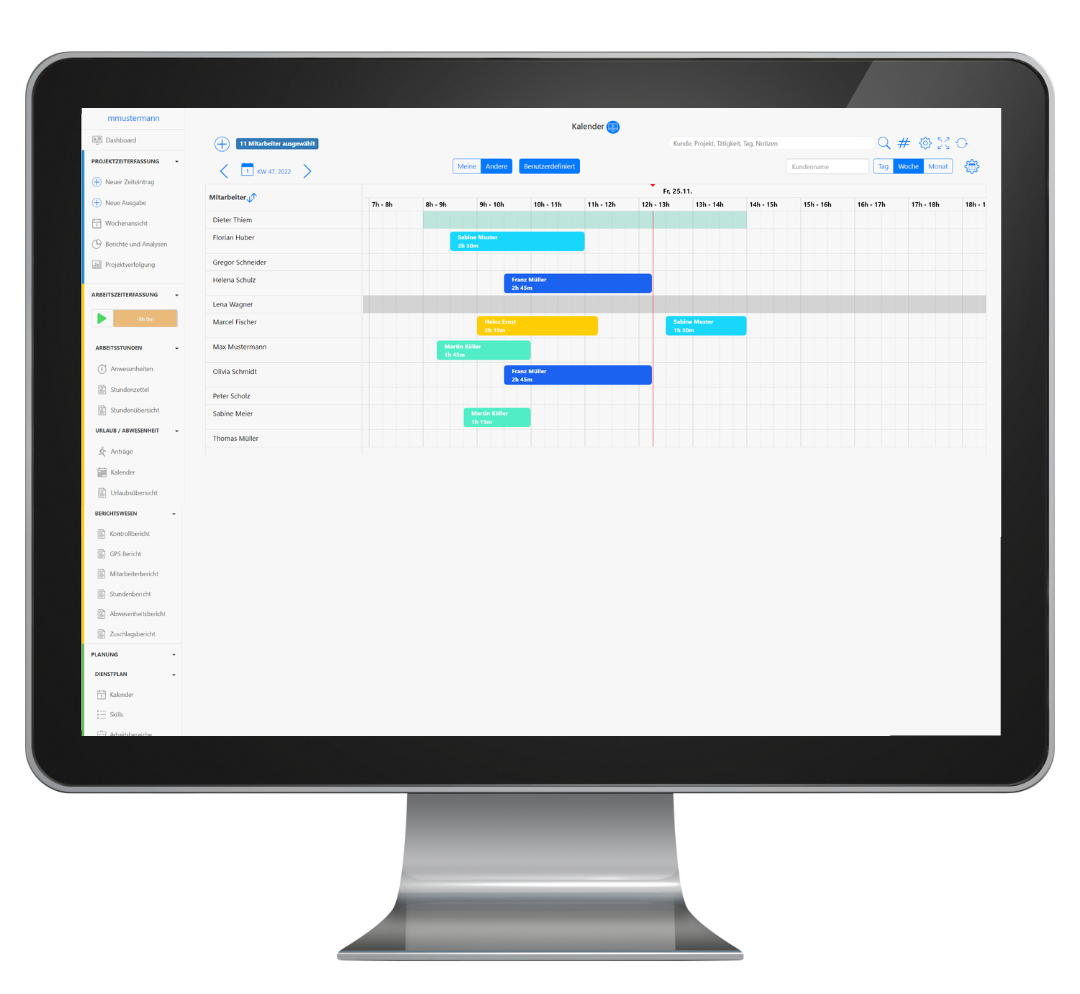
Looking for an efficient solution to plan your employees’ assignments and optimize your scheduling? TimeTrack enables you to digitize your workforce planning and put an end to time-consuming and chaotic resource management. Our employee scheduling software offers intuitive features and flexible filters so you can assign your team ideally to all upcoming tasks.
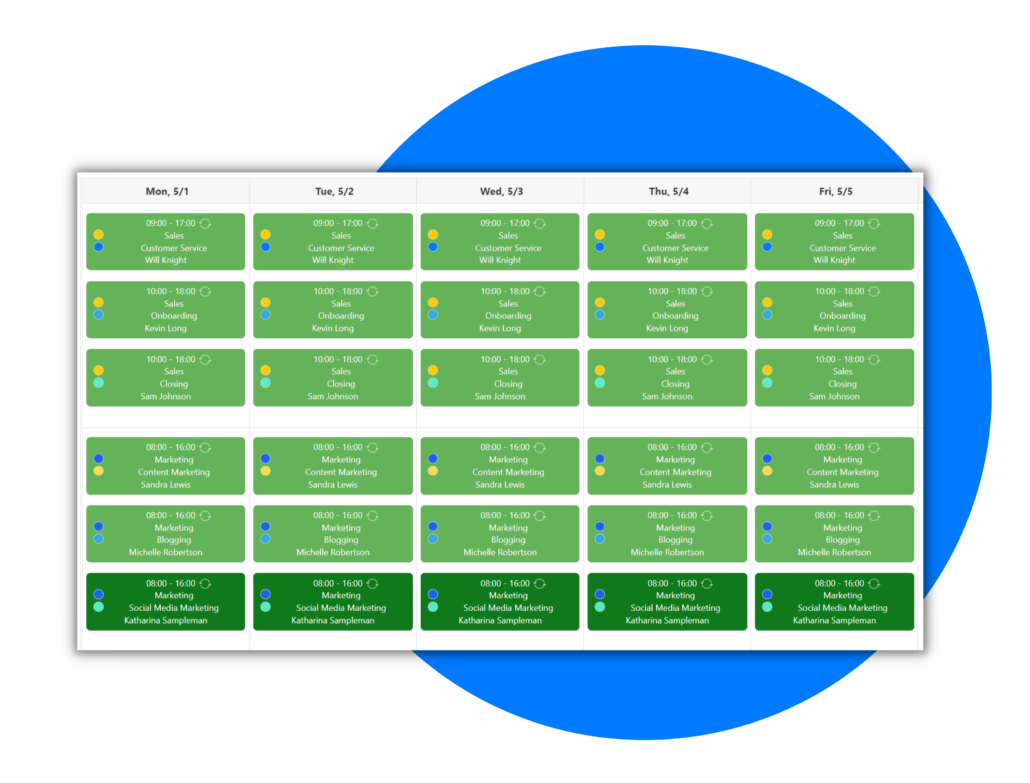
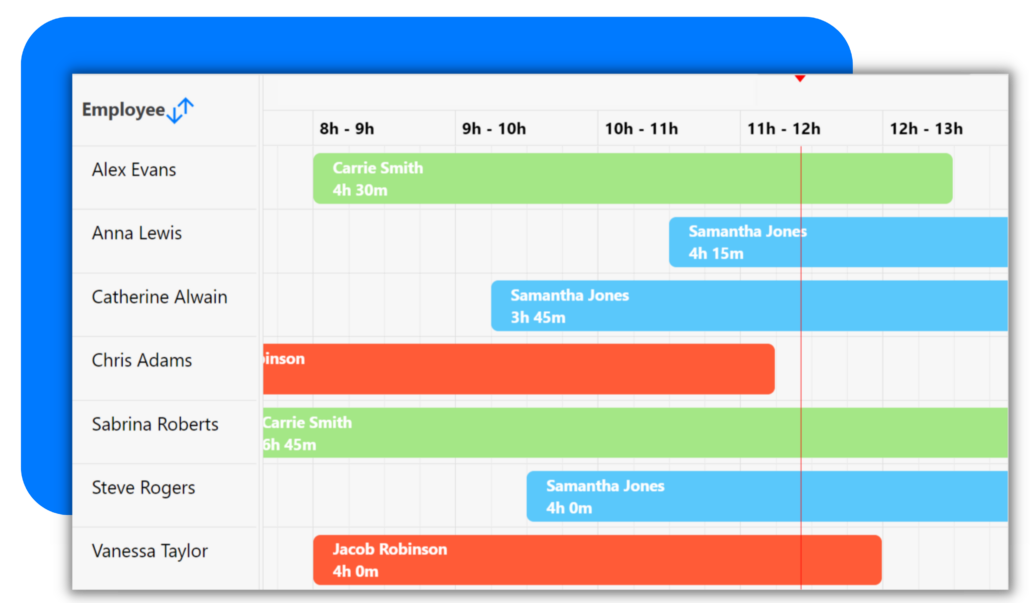
TimeTrack’s employee scheduling software allows managers to create shifts for their employees with a few clicks. They can schedule shifts according to the employee schedules and select their desired time period. The employees can request open shifts or change shifts with other employees. The schedules can be repeated as often as needed. The calendar also enables team communication since team members will be able to see what their co-workers are doing.
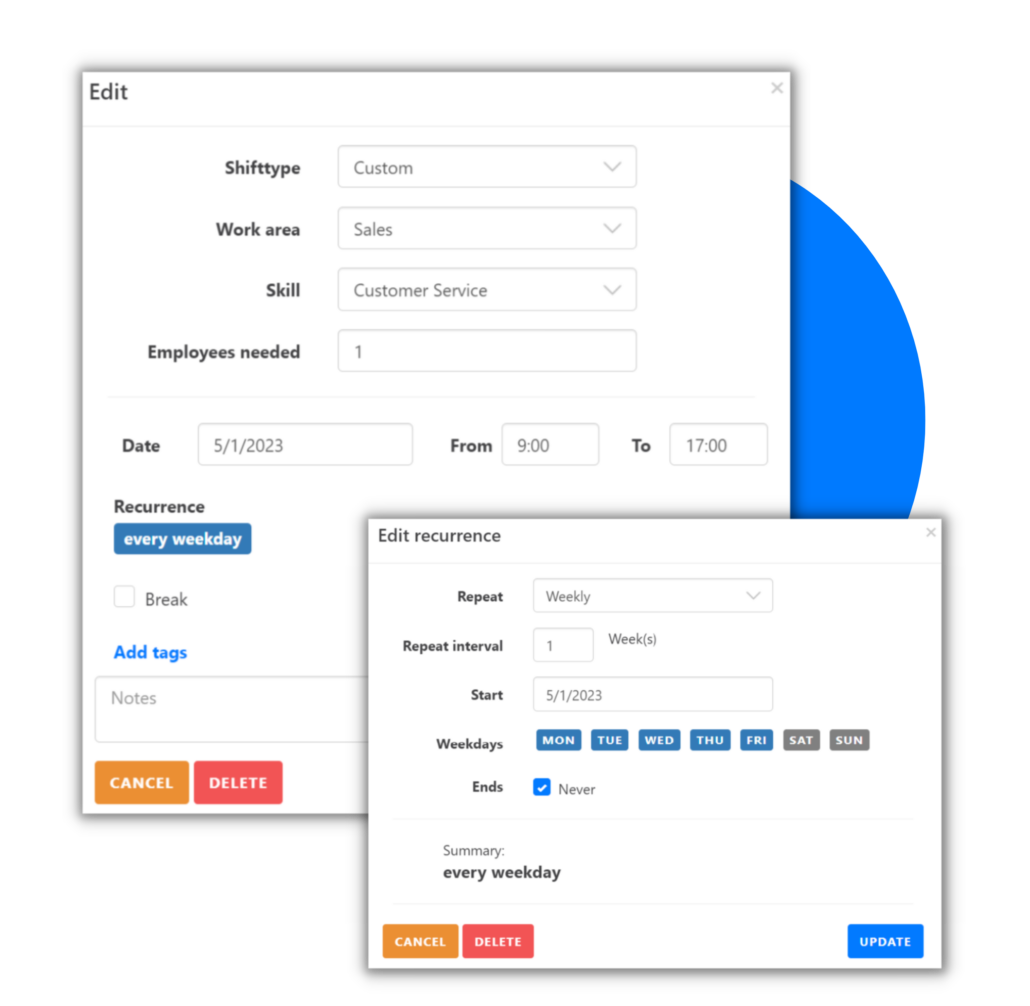
The scheduling process does not have to be a stress factor! Admins can filter their employees according to the employees’ skills, employee availability and features. The admin can create schedule templates and adjust them to repeat as requested. This way they can set the schedule to be repeated as needed and do not have to worry about the shift each week or month. The best employee scheduling occurs when everyone’s need are met!
TimeTrack offers a seamless experience creating schedules for employees.
Try out now
Get Started
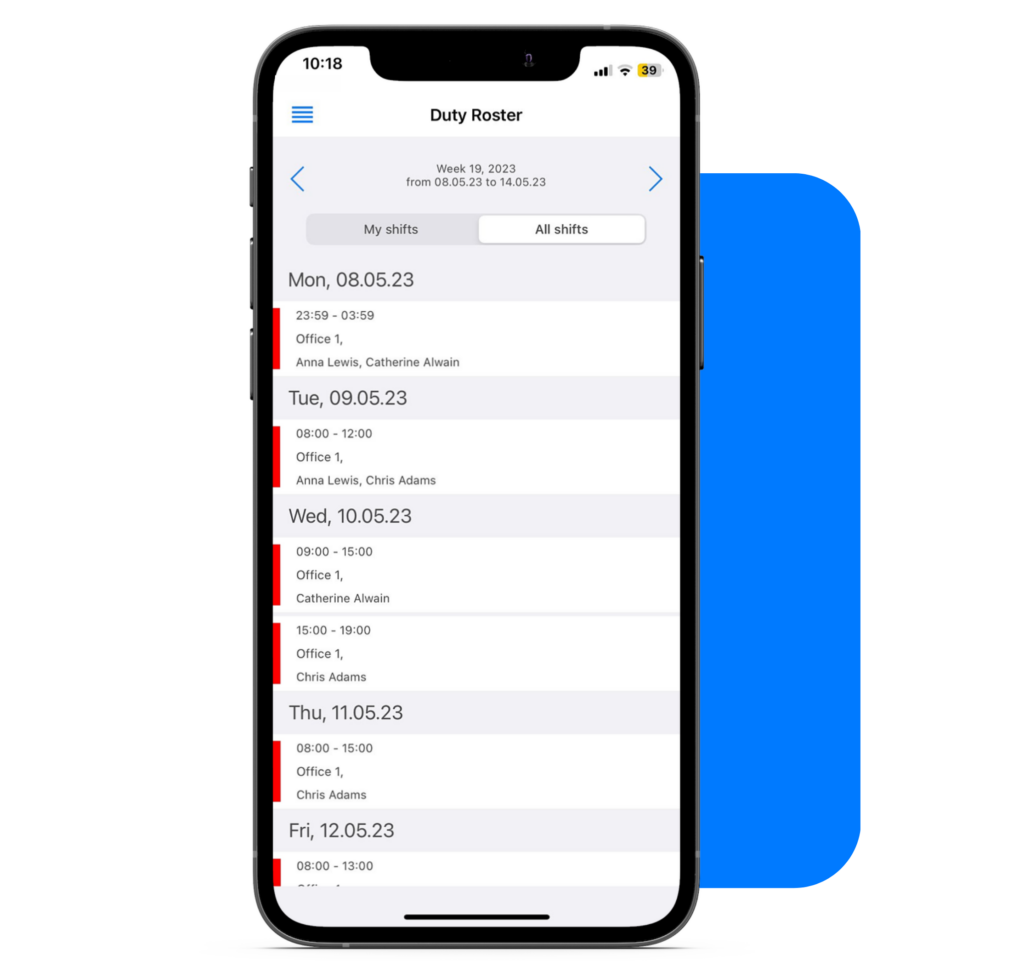
Mobile apps are a practical tool for workers who are not in the office all the time. Employees can easily view their schedules on the go. They can see their scheduled shifts and request to swap shifts with other employees. This way, they are always on top of their work schedule and view upcoming shifts easily on their smartphone with just a few clicks.
It has never been this easy to avoid scheduling conflicts! The AI-generated scheduling software of TimeTrack gives admins the opportunity to create employee scheduling with just one click! The auto scheduling feature of TimeTrack considers all the entered skills, availabilities and features when creating the schedules. This way, all scheduling problems are avoided and the best staff scheduling occurs.
Many teams schedule shifts in one tool, manage absences in another and track time in a third. TimeTrack replaces this fragmented setup with a single, integrated platform.
Start tracking your time accurately.
Try It for Free
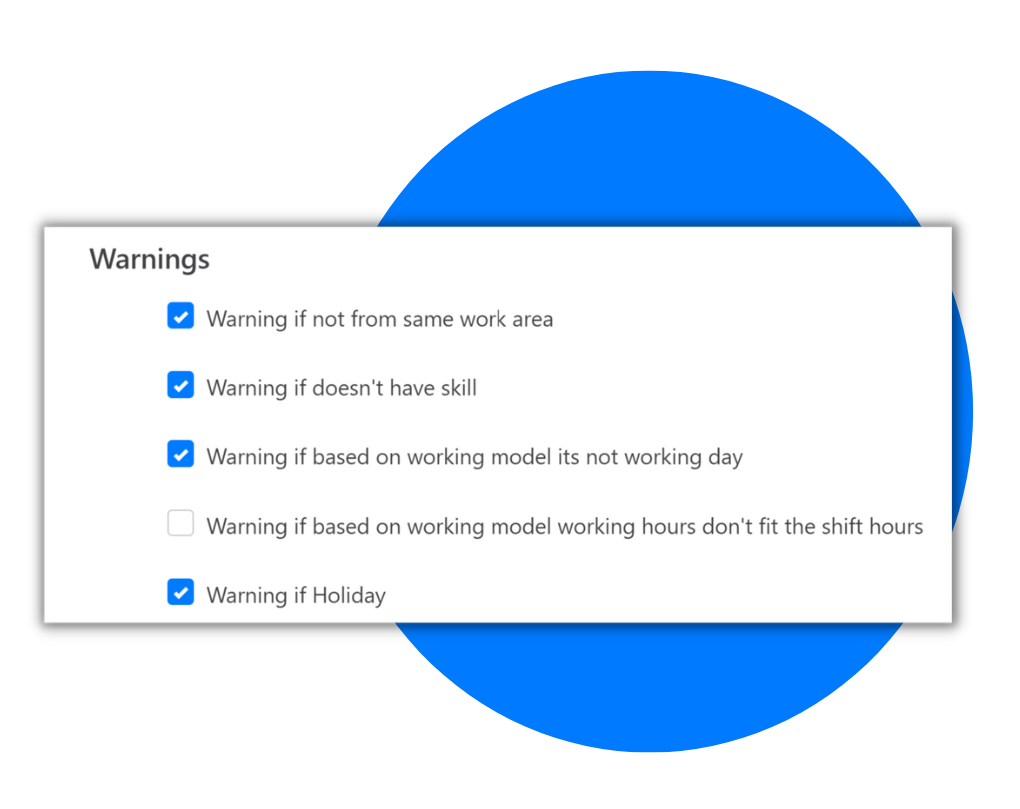
The employee scheduling app is donated with several warnings to let managers know that something is not right with the schedule. The warnings appear in case:
TimeTrack’s scheduling tool also offers other planning features that go hand in hand with the employee scheduling feature. Employees can also set their shift scheduling, planned tasks and availabilities to create a seamless planning experience.
Why teams that already work digitally switch to TimeTrack as their central solution.
TimeTrack replaces the combination of multiple disconnected tools with a single platform. Assignments, working hours and absences are directly linked – no manual data reconciliation between different systems.
Approved time off, sick days and public holidays are displayed directly in the planning calendar. This prevents double bookings before they occur – without planners having to manually cross-check.
The integrated traffic light system detects overlaps, missing qualifications and working time violations in real time. Errors become visible before they impact operations.
Admins define who can plan, view or edit – by location, department or role. Employees only see their own assignments. All changes are instantly synced in the cloud.
All devices access the same schedule in real time. Employees are automatically notified as soon as a new assignment is created or an existing one is changed – regardless of device.
TimeTrack is designed so that even large teams become productive without lengthy onboarding. Personal setup assistance and dedicated support accompany the rollout – from configuration through to day-to-day operations.
Which companies is TimeTrack’s employee scheduling software suited for?
TimeTrack’s employee scheduling is suited for companies of all sizes – from growing mid-sized businesses to enterprises with multiple locations. It is particularly beneficial for organizations that already use digital tools for workforce planning but are working with fragmented systems that don’t communicate with each other. TimeTrack consolidates employee scheduling, time tracking and absence management into one central platform – scalable for complex team structures and cross-location planning.
What is the difference between employee scheduling and the rota planner in TimeTrack?
Employee scheduling is designed for the individual, task-based assignment of specific staff members – for example for service appointments, client visits or field assignments. The rota planner structures recurring shifts for entire teams. Both features are integrated in TimeTrack and work seamlessly together.
Are absences automatically taken into account in employee scheduling?
Yes. Approved time off, sick days and public holidays are displayed directly in the planning calendar. The system automatically prevents employees from being scheduled during their absence – without any manual double-checking by the planner.
Which plan includes the employee scheduling feature?
Employee scheduling is part of TimeTrack’s Premium plan. All plans can be tested free of charge – a full overview of features and pricing is available on the pricing page.